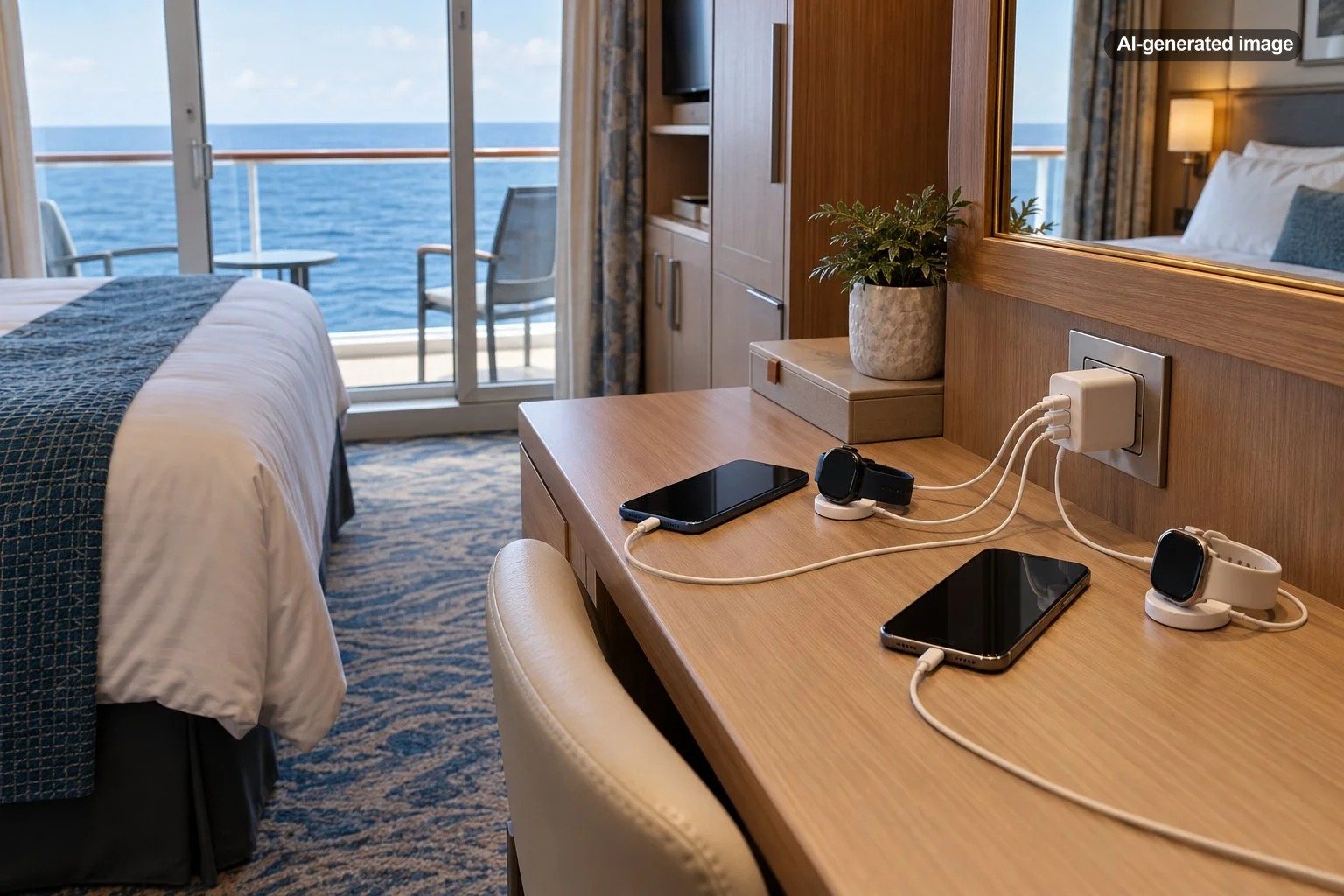
How to Charge Multiple Phones and Watches in a Cruise Cabin
Charging multiple phones and smartwatches in a cruise cabin is easiest when you bring one compact, multiport USB charger, the correct cables for every device, and a charging plan that does not depend on having several electrical outlets. The important detail is choosing a charger that complies with your cruise line’s electrical-device policy rather than assuming an ordinary household power strip will be permitted.
Cabin electrical arrangements vary considerably between ships. Some provide convenient USB ports beside the beds, while others rely on a small number of outlets near a desk or vanity. A couple sharing a cabin may need to charge two phones and two watches each night, making efficient use of the available connections more important than carrying several separate charging bricks.
Quick Answer: The Simplest Cruise Cabin Charging Setup
- Bring a multiport USB charger: Choose a reputable, appropriately certified model with enough USB-A or USB-C connections for your devices, subject to your cruise line’s rules.
- Pack dedicated watch charging cables: Smartwatches frequently require proprietary magnetic charging accessories rather than standard phone cables.
- Check the ship’s electrical outlets: Confirm the outlet types and available USB connections for your particular ship and cabin when possible.
- Avoid assuming power strips are allowed: Cruise lines have different restrictions on extension cords, surge protectors, and multi-outlet adapters.
- Keep charging organized: Designate one dry, ventilated charging area and avoid leaving devices charging unattended when prohibited by the cruise line.
Check Your Cruise Cabin’s Outlets Before Packing
The first step is understanding what your cabin actually provides. Outlet arrangements can differ between cruise lines, ship generations, and sometimes cabin categories. A description of another ship in the same fleet is not necessarily reliable for your sailing.
Look for information about standard North American outlets, European-style outlets, USB-A ports, and USB-C ports. Also consider where those connections are positioned. An outlet beside the vanity may be perfectly adequate for charging four devices, but it will not be as convenient as bedside power when someone uses a phone as an alarm.
Carnival Cruise Line, for example, publishes ship-specific information about its cabin outlets and USB availability. Its guidance describes different electrical configurations on selected ships, demonstrating why checking the individual vessel matters.
If the official cabin description does not answer your question, contact the cruise line. Ask specifically about the number and type of charging connections rather than simply whether the room has electricity.
Choose a Multiport USB Charger Instead of Several Charging Bricks
For many travelers, a compact charger with multiple USB outputs provides the most practical solution. It can connect several devices to one electrical receptacle without adding household-style AC outlets.
This distinction matters because a USB charging block and a power strip are not necessarily treated the same way under cruise ship regulations.
Match the Number of Ports to Your Devices
Consider two adults sharing a cabin with two smartphones and two smartwatches. A four-port USB charger may accommodate their nightly charging needs if the watches’ charging cables use compatible connectors.
However, a four-port charger is not automatically the best option. One traveler may need USB-A for an older magnetic watch cable, while another uses USB-C for a newer phone. A charger with the wrong combination of ports creates an unnecessary problem even when it has enough connections.
Before departure, connect all intended devices at home using the exact charger and cables you plan to pack. Confirm that each device charges successfully when every port is occupied.
Consider Total Charging Power
The number of ports does not tell the whole story. Multiport chargers have a total available power output, often shared between connected devices. A charger advertised with a high maximum wattage may provide that output only when a particular port is used alone.
Check the manufacturer’s specifications for simultaneous charging. Smartphones may charge more slowly when several devices share the charger, although overnight charging can make that tradeoff acceptable.
For phones and smartwatches, a compact charger with an appropriate combined output is generally more useful than carrying a powerful laptop-oriented adapter unnecessarily. Use equipment from a reputable manufacturer with recognized electrical safety certification and intact cables.
Understand Which Charging Accessories Your Cruise Line Allows
Electrical-device restrictions are one of the most important differences between cruise cabin charging and charging in an ordinary hotel room.
Do not assume that a product advertised online as cruise-approved will be accepted by every cruise line. Marketing descriptions are not substitutes for official shipboard policies.
Royal Caribbean
Royal Caribbean’s published prohibited-items guidance generally restricts extension cords, power strips, and multi-plug electrical outlets. It provides an exception for qualifying device and USB chargers bearing recognized U.S. or European conformity certification.
For travelers carrying several phones and watches, the practical approach is to select a conventional multiport USB charging block that meets the current policy, rather than an adapter that expands the number of household AC receptacles. Check the official wording before traveling because restrictions and exceptions can change.
Carnival Cruise Line
Carnival’s published guidance takes a different approach. Certain power strips, multi-outlet adapters, and extension cords without surge protection may be permitted when used with appropriate caution. Carnival also reserves the right to remove equipment considered unsafe.
That permission should not be interpreted as approval for every accessory sold as a cruise power strip. The individual product still needs to comply with the applicable restrictions.
Other Cruise Lines
Do not transfer one cruise line’s electrical rules to another. Policies may distinguish between USB-only chargers, outlet-expanding adapters, extension cords, and surge-protected devices.
Travelers sailing with Norwegian, Disney, or another operator should consult that company’s current prohibited-items policy and request clarification when an accessory’s design is ambiguous.
The safest planning principle is simple: verify what is permitted before packing, and do not rely on an accessory that could be confiscated during embarkation.
How to Charge Two Phones and Two Smartwatches Overnight
A four-device setup does not have to occupy the entire cabin desk. The goal is to give each device a predictable charging location while preserving usable space.
Example: A Couple Sharing One Cabin
Suppose two travelers have an iPhone, an Android phone, an Apple Watch, and a Samsung Galaxy Watch. Their most useful charging arrangement might include:
- One four-port USB charger with an appropriate mix of USB-C and USB-A outputs.
- Two compatible smartphone charging cables.
- One Apple Watch charging accessory.
- One Galaxy Watch charging accessory compatible with that particular watch model.
- A small cable organizer to prevent cords from becoming tangled.
Position the charger on a stable, dry surface with adequate ventilation. Keep it away from sinks, damp towels, bedding, and loose papers. Avoid tightly coiling cables around powered adapters or covering charging equipment with clothing.
Charge devices according to their manufacturers’ instructions and the cruise line’s rules concerning unattended electrical equipment. If unattended charging is prohibited, complete charging while someone is present rather than leaving connected devices running overnight.
Example: A Family Sharing Several Devices
A family cabin may have three or four phones, several watches, wireless headphones, and a tablet. Trying to charge everything simultaneously can create a crowded charging area and unnecessarily divide the available power.
Instead, prioritize essential devices. Phones needed for shipboard communications or digital boarding information can charge first, while headphones or tablets can charge during another convenient period.
Parents may also find it useful to assign a specific cable or charging location to each family member. This reduces confusion about which device belongs to which charger.
Do You Need a Separate Charger for Each Smartwatch?
Usually, you need the correct charging connection for each watch, but not necessarily a separate wall adapter.
Many smartwatches rely on magnetic charging pucks or proprietary connectors. These accessories may have ordinary USB-A or USB-C plugs at their opposite ends, allowing them to connect to a multiport charger.
Compatibility is particularly important for travelers using watches from different brands. A charging puck designed for one watch family may not support another, even if the watches appear to use similar magnetic connections.
Check the exact watch model, recommended charging accessory, and compatible USB power requirements. If you bring a third-party charging dock, test it before your trip rather than discovering onboard that a watch does not charge properly.
A multi-device wireless charging stand can reduce cable clutter for compatible products, but it is not automatically more convenient. These stands may be bulky, require a particular power input, or support only selected phone and watch combinations. A simple collection of original charging cables can be more reliable.
Should You Bring a Power Bank?
A portable battery can be useful when a phone is needed throughout a long port day, particularly for maps, photographs, travel documents, and messages. It can also help when the cabin has inconveniently located outlets.
However, a power bank should complement your charging arrangement rather than replace the main charger without good reason.
Check the cruise line’s rules for portable batteries, including where they may be stored, whether unattended charging is restricted, and whether any battery capacity limits apply. If you are flying to the departure port, airline restrictions for lithium batteries also matter, particularly the requirement that spare lithium batteries and power banks generally travel in carry-on baggage rather than checked luggage.
Do not use a damaged, swollen, unusually hot, or recalled power bank. Keep batteries out of direct sunlight and away from wet surfaces. The manufacturer’s handling instructions remain relevant even when a cruise line permits the device onboard.
What About European Outlets in Cruise Cabins?
Some cruise cabins contain both North American-style and European-style electrical outlets. This can be helpful, but travelers should understand the difference between plug shape and electrical voltage.
Many modern phone and watch charging adapters are rated for a broad input range, commonly marked 100-240V AC. If your charger’s label confirms compatibility with the available voltage and frequency, an appropriate plug adapter may be sufficient.
A plug adapter does not necessarily convert voltage. Never assume an electrical device supports a particular power supply without examining its specifications.
There is also a policy consideration: an adapter that merely changes plug shape may be treated differently from an accessory that adds additional AC receptacles. Confirm the cruise line’s rules before packing either type.
Set Up a Charging Station Without Creating Cabin Clutter
Cruise cabins benefit from disciplined organization because counter space can be limited, especially when several people share the room.
Choose one charging location that does not interfere with drawers, bathroom access, or normal movement. A desk or vanity may be appropriate if it is dry and the charger can remain uncovered.
Use cables long enough to reach the surface comfortably, but avoid leaving excessive loops hanging into walkways. Short cable ties or reusable organizers can keep unplugged cords tidy during the day.
Do not route charging cables under mattresses, through bedding, across doorways, or around areas where they may be pinched. Avoid stacking devices directly over chargers that generate heat.
If two people prefer bedside access to their phones, consider whether the cabin has suitable bedside charging ports. Otherwise, it may be more sensible to charge phones on the desk and use a separate alarm arrangement rather than stretching long cords across the room.
Common Cruise Cabin Charging Mistakes
Several predictable mistakes can complicate an otherwise straightforward charging setup.
- Buying an accessory labeled cruise-approved without checking the operator: A device permitted on one cruise line may be prohibited on another.
- Forgetting watch-specific cables: A USB-C phone cable usually cannot replace a proprietary magnetic watch charger.
- Assuming all USB ports provide fast charging: Built-in cabin USB connections may deliver less power than a dedicated modern charging adapter.
- Using incompatible cables: A charger with four USB-C outputs does not help if two accessories require USB-A and no suitable adapters are available.
- Overlooking simultaneous power limits: Multiple connected devices may share a charger’s total output and charge more slowly.
- Depending on a single untested accessory: A faulty multiport charger can leave every device without a practical charging connection.
One useful precaution is carrying a small spare wall charger that independently complies with the cruise line’s policy. It offers a backup if the main charger stops working, without requiring another multi-outlet device.
Choose Your Charging Setup Before You Choose Additional Accessories
For most couples, the best starting point is one compatible multiport USB charger and the correct cables. Families with more devices may benefit from scheduled charging rather than purchasing the largest available charging station.
Travelers still comparing ships can also consider electrical convenience as a small part of the overall cabin experience. Newer charging connections and accessible bedside outlets may be particularly useful when several people share a room, although their availability must be confirmed for the chosen ship and cabin.
Affiliate disclosure: HotelInfo.com may earn a commission when you book or purchase through links on this page. This does not affect the price you pay. Learn more.
If you are still selecting a sailing, you can compare available sailings with Expedia Cruises, then review the selected ship’s official cabin information and electrical-device policy before finalizing your packing list. Booking platforms may help compare itineraries, but the cruise operator remains the appropriate source for ship-specific equipment restrictions.
Frequently Asked Questions
Can I charge four devices from one cruise cabin outlet?
Often, yes. A compatible four-port USB charger can support four devices from one electrical outlet, provided the charger has sufficient combined output and the cruise line permits that type of accessory. Verify the charging requirements of each connected device.
Are USB-C charging blocks allowed on cruise ships?
Many cruise lines permit conventional device chargers, but requirements vary. Some specifically distinguish USB charging blocks from power strips or adapters that provide additional AC outlets. Check the current policy for your operator.
Can I use the bathroom outlet to charge my phone?
Do not assume so. Certain cruise ship bathroom outlets are intended only for electric shavers or other specified low-power grooming devices. Use designated general-purpose outlets for phone charging and keep electronic equipment away from water.
Will my smartwatch charge using the USB port in the cabin?
Possibly, if the port matches your watch charger’s USB connector and provides sufficient power. The watch will generally still require its compatible magnetic charging accessory. Built-in USB ports may have different capabilities depending on the ship.
Is a wireless charging stand better than separate cables?
It can be convenient when every device is compatible and the stand meets onboard electrical requirements. Separate cables, however, are often easier to pack, less dependent on exact device alignment, and simpler to replace if one fails.
The Most Practical Way to Keep Everything Charged
The strongest cruise cabin charging plan is usually the simplest one. Confirm the ship’s outlets, verify the operator’s current electrical rules, bring a suitably certified multiport USB charger, and pack the correct cables for every phone and watch.
Test the complete arrangement before departure, keep charging equipment organized and ventilated, and prioritize the devices you actually need each day. With those preparations, limited cabin outlets are usually a manageable inconvenience rather than a recurring problem throughout the cruise.
Sources & Further Reading
- Royal Caribbean: Prohibited Items Onboard Policy – Official restrictions and exceptions for electrical accessories and USB chargers.
- Carnival Cruise Line: Electric Outlets and USB Ports – Official information about cabin electrical connections and permitted electrical accessories.
- Carnival Cruise Line: Help and Prohibited Items Guidance – Additional official packing and electrical-device policies.